If your new pillow looks flat or uneven, start by reading the unboxing instructions for your exact model and note the time you opened it. The 48–72 hour figure is the official Elviros S1 listing guidance, not a universal deadline for every pillow. If your model has no documented window, ask the seller before drawing conclusions.
Table of Contents
This is the Elviros Sleep Journal. Elviros sells the S1 discussed here.
Memory Foam Pillow Not Expanding or Just Shaped That Way?
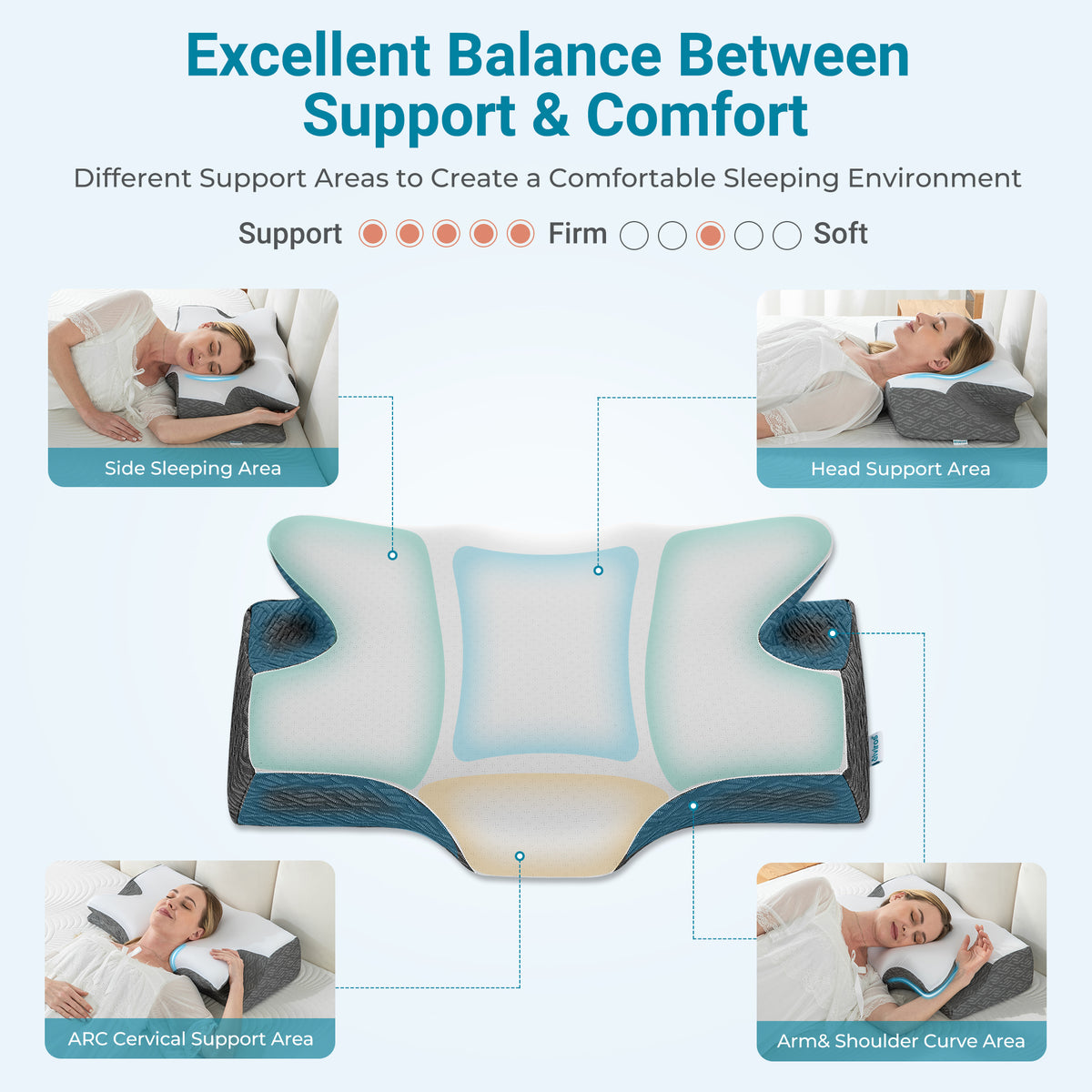
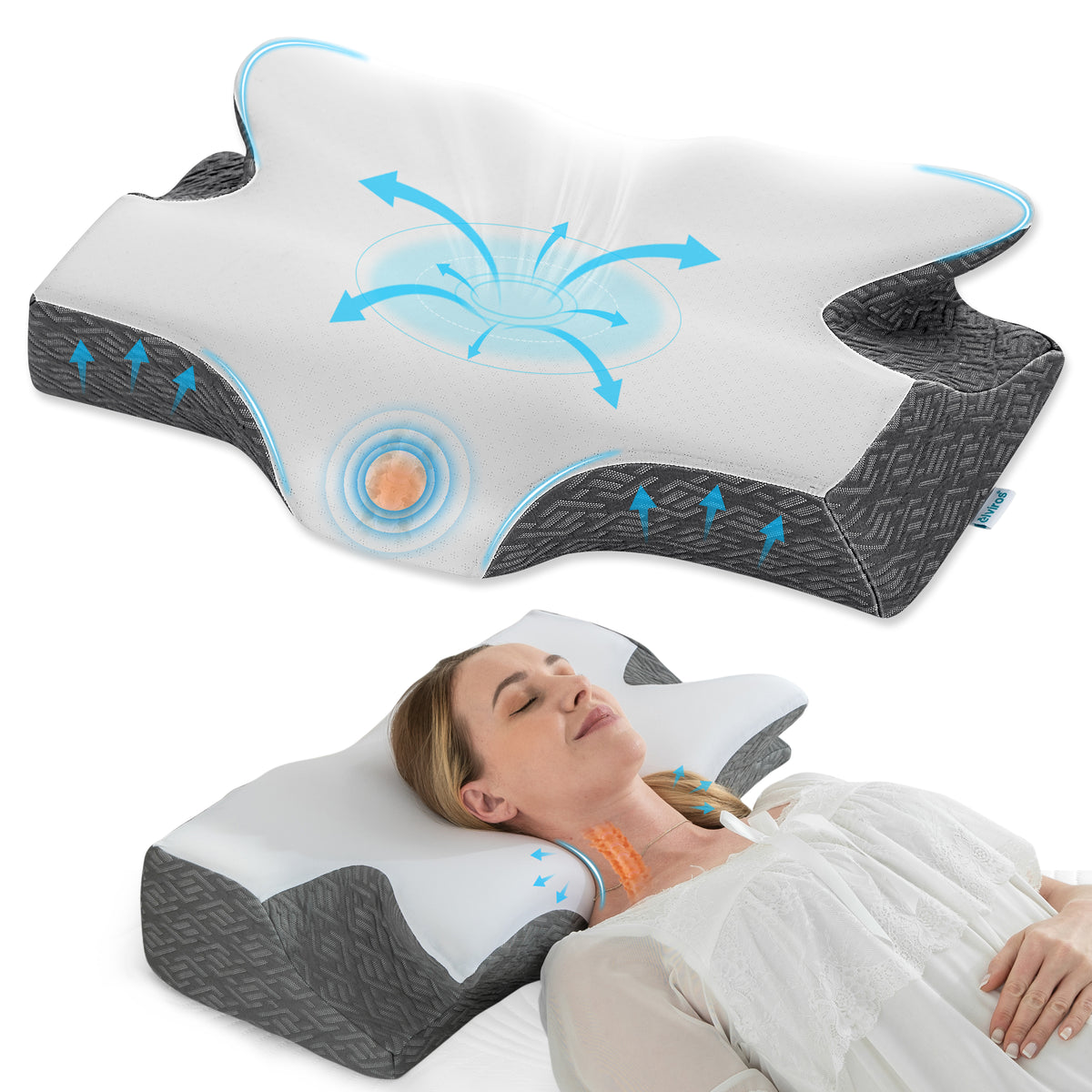
A pillow that looks uneven is not always a pillow that failed to expand. The S1 is a dual-height shaped cervical pillow, so some of its edges are deliberately shaped by design. Before you treat a low-looking area as a problem, separate two different things: the shape the product was built with, and a change you can actually observe over time since unboxing.
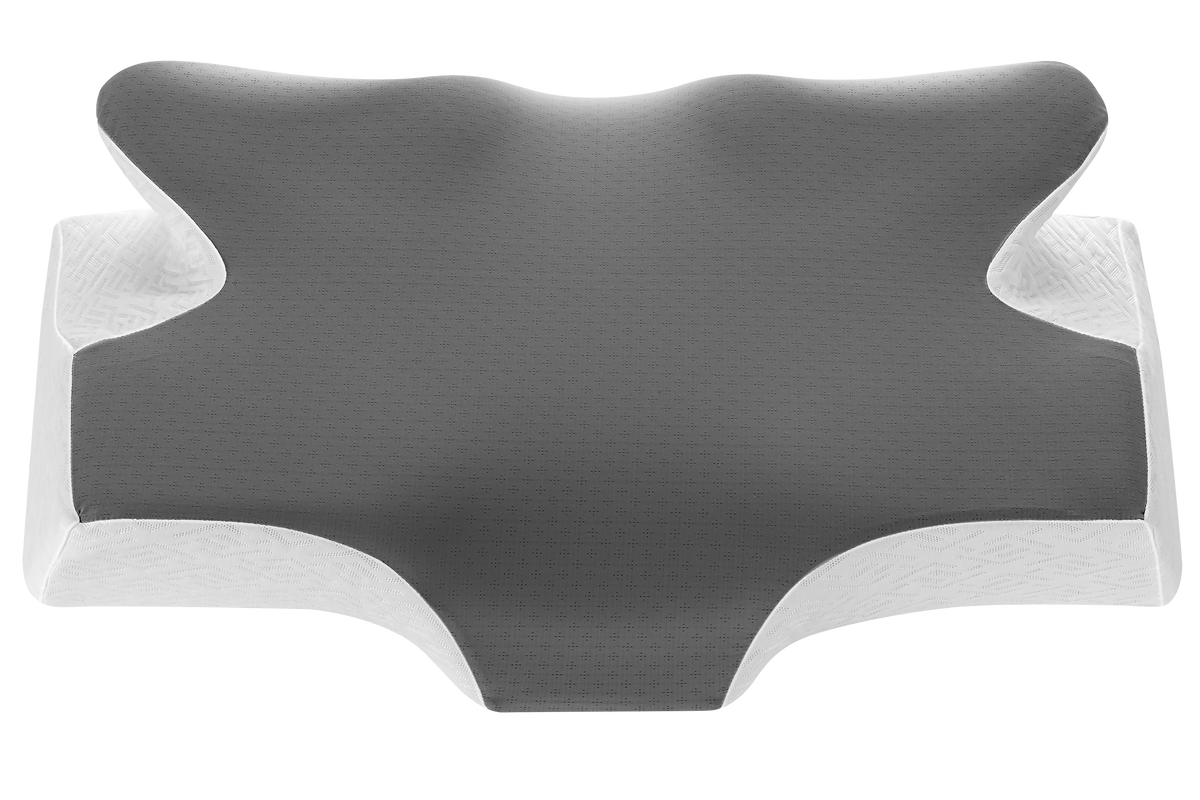
Confirm the model from the label or your order first, then cross-check the color and size against the listing. For the Elviros S1, compare what you see with the S1 shape and size guide so the shoulder-cutout profile and dimensions match the version you received.
What you should not do is diagnose a defect from photos — yours or anyone else's — or try to measure "full expansion" at home. What you can do is compare the same viewed area of your own pillow across time and note whether it changed.
Step 1: Read the Instructions for Your Exact Model
Guidance for a memory foam pillow not expanding is always model-specific. According to the Elviros S1 product listing, the S1 should be allowed to expand fully within 48–72 hours after unboxing. That window applies to the S1 listing only — it is not a generic memory foam timeframe, and you should not apply it to a different model or brand.
If the instructions for your pillow do not state an expansion window, contact the seller and ask for model-specific guidance rather than assigning a generic one.
Step 2: Record What You See
Keep your setup neutral and identical at each check: same spot, same lighting, same distance. Then fill in a short log. Copy this one:
OBSERVATION LOG — PILLOW EXPANSION
Date and time of check:
Elapsed time since unboxing:
Exact model and size:
Viewed area (which part of the pillow you photographed):
Changed since last check? (yes / no / unsure):
Photo file name (if taken):
Date/time — elapsed time — model/size — area — change or unsure — one photo filename. Reuse the same log for the next check; if needed, send the first and latest matching photo of the same area.
Branch A: Your model documents an expansion window (S1: 48–72 hours)
Check as often as you find useful inside the window, and make one final check after the window has ended. If the viewed area still concerns you once the documented window has passed, that persistence is your reason to contact the seller.
Branch B: Your instructions don't state a window, or are missing
If the directions are missing, ask the seller now; photos are optional and no delay is needed before asking.
Step 3: When to Contact the Seller
Describe the concern plainly and include the order number; baseline and latest photos can help.
Describe what you observed rather than declaring the pillow damaged, and do not assume a particular outcome — the seller confirms next steps.
Worked S1 Example (Hypothetical)
Hypothetical S1 example: take a baseline photo when the pillow is first unboxed, using daylight and a fixed camera angle; if the change is unclear at 24 hours, keep the same setup and take a same-angle follow-up photo at 73 hours, after the S1's listed 48–72 hour window. If you're still concerned after that, contact the seller with the photos.
A Short Message You Can Adapt
Subject: Expansion question about my [model, size]

Hello,

I recently unboxed my [model, size, color], order number [your order number].
The instructions for this model [state an expansion window of X / do not state an expansion window].
As of [elapsed time since unboxing], the area near [viewed area] has [changed / not changed] since my first observation.
[If available: I've attached photos of the same area and my notes.]
Could you confirm the expansion guidance for this model and advise on next steps?

Thank you,
[Your name]
If the Box, Packaging, or Model Label Doesn't Match
Before you cut the tape or open the bag, pause and compare what arrived with what you ordered: compare any model name, size, or color shown on the box or label with your order confirmation. If anything looks off, keep the packaging as intact as you reasonably can and photograph the outer box and the product label before opening anything further, and note your order number and the delivery date. These photos are a record of what arrived — they are not a defect finding.
Frame your first message to the seller as a request for guidance, not a diagnosis. "The label shows X, but my order was for Y — how should I proceed?" keeps the exchange factual. "You sent me a defective pillow" states a conclusion you have not verified. The same applies to outcomes: whether an item can be returned is set by the return terms published with the listing and the platform's policy, so ask the seller to point you to the applicable terms instead of either side assuming an answer.
Set two limits for yourself. First, the 48–72 hour expansion figure is official listing guidance for the Elviros S1 only; use that interval only for a confirmed S1, counting from when it was unboxed. Second, until the seller confirms what you actually have, your job is documentation — box photos, product label photos, your order number, and dates — not inspecting the pillow itself or testing it. If the seller confirms the item is correct, proceed with normal unboxing and observation. If the seller confirms a mismatch, follow their instructions and keep your photo record.
Label check: cover-only versus complete pillow
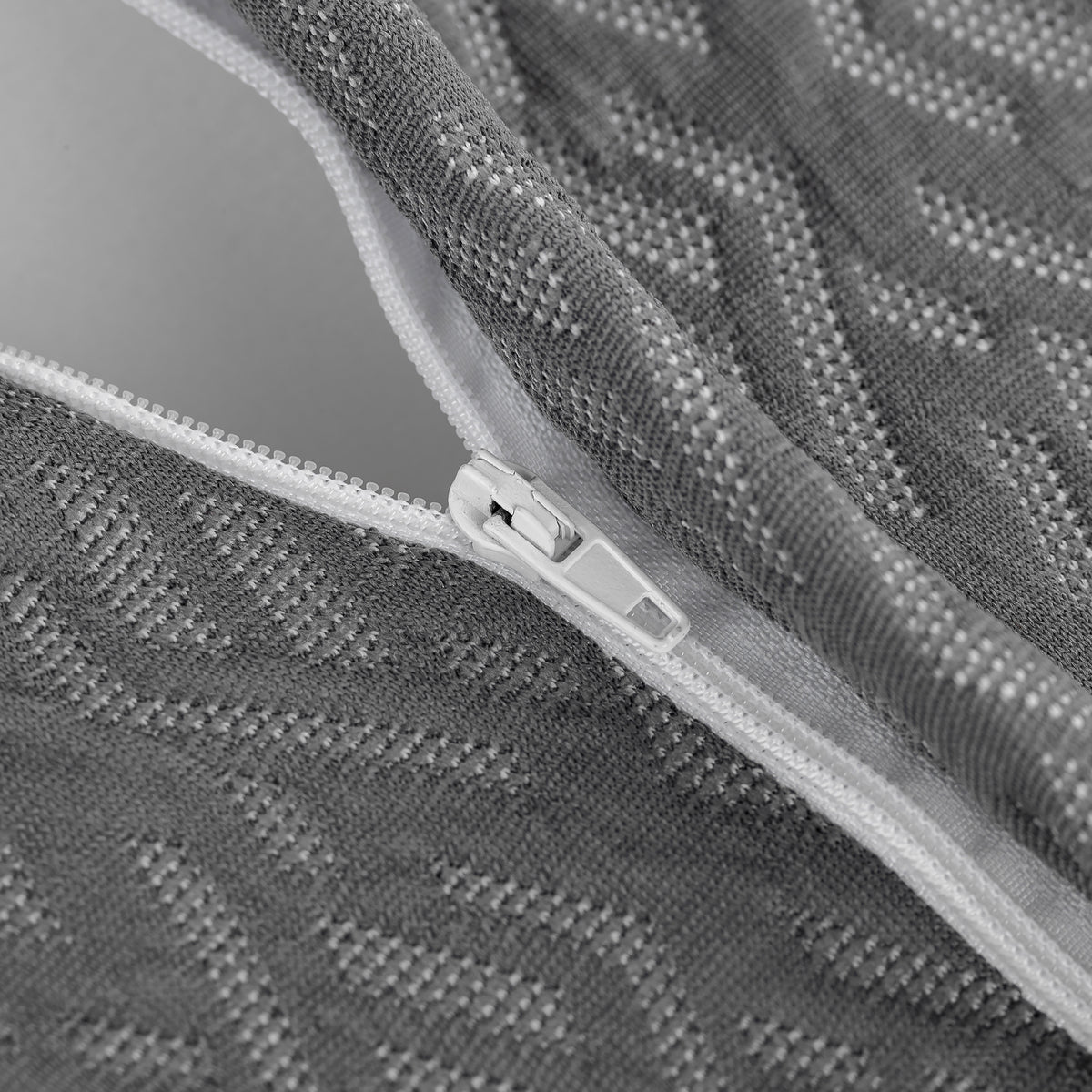
If the photographed item is the detachable cover, check the label against your order details. The exact Elviros S1 replacement cover and its zipper are separate product details; a cover-only order does not include foam. If you ordered only a replacement cover, the label and order check is the last step. If you received the complete pillow, use the unboxing guidance for that exact model. Do not assume every S1 cover or pillow uses the same zipper or hardware.
A Different Hypothetical: No Printed Expansion Window
Suppose your pillow's instructions contain no expansion window at all — a contoured memory foam model with no timeframe printed in its manual or on its box. The wrong move is borrowing the S1's 48–72 figure; that figure belongs to the Elviros S1 listing alone and is not a generic memory foam standard. The right move is to ask the seller what expansion behavior to expect for this model and how long they suggest you observe before they advise — in other words, request model-specific guidance rather than guessing.
If you confirmed that you received the complete memory foam pillow and opened it following its instructions, you can record observations while you wait for guidance. Set the pillow on a plain surface in daylight, fix your camera position, and photograph the same one or two areas — say, one long edge and one corner — on unboxing day and again at a later check using the identical setup. You are not measuring expansion and not judging whether the pillow is "done"; you are recording whether each area looks stable or changed between two views of it.
Some unevenness will be intentional shape rather than pending expansion. If a curved edge closely follows the contour shown in the listing's shape photos, a designed contour may explain the outline you are seeing — so say so plainly: "this edge matches the shape in your listing; I want to confirm it is meant to look this way." Comparing your photo against the listing image is a shape comparison, not a defect test. If the same area looks different across your checks, or differs from the documented shape, that is a factual observation worth reporting.
Labeling Two Photo Views Without Confusing Angle With Size
For a confirmed complete pillow, use one filename pattern for each camera position.
A camera shifted two inches can make a corner read as taller or shorter in a photo without the pillow changing at all. Manage that risk in the filename, not from memory. Use a pattern of view-area + day + setup tag, and keep the tag identical for comparable shots. Example filenames: edge_left_day1_setupA.jpg paired with edge_left_day4_setupA.jpg, and corner_right_day1_setupA.jpg paired with corner_right_day4_setupA.jpg. The repeated area word plus the matching setup tag marks the two files as the same view; the day number orders the pair.
Never rename only one file of a pair, and never treat a file with a different setup tag as comparable — a new angle starts a new series, it does not show a change. If you must reshoot a view, mark it: edge_left_day4_setupB_reshoot.jpg, and compare the reshoot only against a later reshoot taken from that same new position.
A Short Question Tree for Missing Information
Branch on exactly what is missing, and ask one thing at a time:
- Model not yet confirmed. Attach the product label photo and your order number, and ask: "Can you confirm which model this label corresponds to?" Hold off on anything else until that answer arrives.
- Instructions differ from the listing. Quote the exact line that conflicts and ask which source applies to your unit. Example: "The insert describes a short wait, but your listing describes an expansion window for this model — which should I follow?"
- Seller requests a label or a specific photo. Send exactly what was asked — the product label photo, or your first-and-latest pair of the same area — and nothing more; extra material invites extra rounds.
- No response yet: For a pillow that is not expanding, first contact support through the public support email, adding an observation photo only if it helps. The S1 listing specifically asks for a photo for a wrong or defective item return. If you already emailed, follow up by replying to your own sent message when available, asking one open question such as what you should check next.
A Minimal Support Package and Private Follow-Ups
For a confirmed complete pillow you have already unboxed, a small support package keeps the exchange short: your order number; the model, size, and color exactly as printed on the product label; the date and time you unboxed; the elapsed time since unboxing at your latest check; and your first and latest photos of the same viewed area, with a one-line note on whether that area changed between them. That package answers the predictable follow-up questions before they are asked. Keep the first message brief and send any additional details the seller requests.
Answer follow-ups in the private support-email channel Elviros provides, and keep identifying details out of public spaces. Do not post your order number, shipping label, address, or phone number in a public review, Q&A section, or community thread. A factual description — model, elapsed time, changed or unchanged — is shareable; your private identifiers are not.
Keep the question type clear, because sellers answer different questions differently. An expansion observation concerns the pillow since unboxing: whether a specific area changed across your checks or fails to resemble the documented shape. A feel or fit question concerns you and the pillow together: whether the height, firmness, or contour feels comfortable.
These are separate topics — a pillow can look fully shaped and still feel wrong for you, and one that feels unfamiliar at first can still match its documented shape exactly. State which you are asking about; if both apply, ask them as two numbered questions rather than blending them. And if the exchange turns to defects or returns, point to the listing's return terms and ask the seller to confirm the applicable process instead of declaring an outcome yourself.
When the listing and the box insert disagree
A product page and the paper inside the box can describe the same pillow in different ways. One may mention a removable cover, a certain fill, or a recommended setup, while the other stays silent. That mismatch does not, by itself, tell you which document is wrong, and it does not prove that your pillow is defective.
If the documents give different instructions, compare their model identifiers and ask the maker which applies to your pillow before acting on the disputed step. Find the exact model identifier printed on the pillow tag, the box end flap, the carton label, and the insert. Note whether each source uses the same SKU, the same version or revision wording, or different names for the same feature. Photograph or copy the relevant lines so the wording is preserved exactly, and keep the date you looked at the listing.
Then ask the manufacturer which document applies to that exact identifier. A concise message works best: state the SKU or version you see, quote the listing line and the insert line, and ask which description governs. Keep the question narrow. You are asking the maker to resolve a conflict between two of its own materials, not to review your health, your sleep, or your decision to keep the item.
If the answer names one source as current, save it with the identifier. If the answer is vague, ask once more in one sentence and keep the reply with your records. Either way, the practical step is the same: collect the exact SKU or version evidence first, then ask the manufacturer which applies, and keep the answer tied to that identifier.
How to report a change if you cannot take photos
If you cannot take photos, a short dated record can still describe what changed. Pick one reference point that does not move, such as a seam, a tag corner, or a printed mark, and describe it in the same words each time. An audio note or a few lines of text can be enough: state the date, name the reference point, and say what looks different compared with the earlier record. Read the note aloud once and save it with the same title so the sequence stays clear.
Keep the record free of personal and medical details. Do not include your name in the file, your order number beyond what the seller already has, your address, or any statement about pain, sleep quality, or treatment. Describe only the object: the cover edge, the label wording, the shape at the reference point, and the lighting in the room. A neutral record is easier for a seller to use and easier for you to review later.
A useful follow-up stays short and asks the seller to clarify one thing. For example: “On [date], at the tag corner, the edge that lay flat now lifts; the label text is unchanged. Can you confirm whether this matches the current description for this model?” That gives the seller a stable reference point, a dated observation, and a single question. It does not ask the seller to judge your body, your sleep, or a medical outcome.
The point of the record is consistency, not proof. Same reference point, same wording, same kind of note, and one narrow question for the seller to answer. If the seller replies with a clearer description, a correction, or a request for a different detail, save that reply beside the record and keep the thread on the object itself.
Leave a Reply