We sell Elviros products.
If you need an Elviros C1 replacement insert, start by checking where the missing foam sat. If it sat inside your C1 and adjusted firmness, look for the small firmness insert. If you’re missing the original large bottom pad, ask the seller whether the separately sold Height & Firmness Booster can replace it on your specific order. Elviros C1 pillow listing
Table of Contents
How to identify the right Elviros C1 replacement insert
- Check your original order. Look for C1 in the product name or model field on your receipt, confirmation email, or retailer’s order page. If the record leaves the model unclear, give the seller your order number and ask them to confirm the exact model. Compare the Elviros C1 and C2
- Match the piece to its location and purpose. Use the table below if you know where the foam sat. If you’re unsure which piece is missing, ask the seller to identify it from your order.
- Check the exact replacement before buying. If you need the original bottom pad, get written confirmation from the seller that the separately sold Height & Firmness Booster is a like-for-like replacement for your specific order. If the seller directs you to another part, ask for its SKU if listed or its exact item name if no SKU is listed, along with the product link.
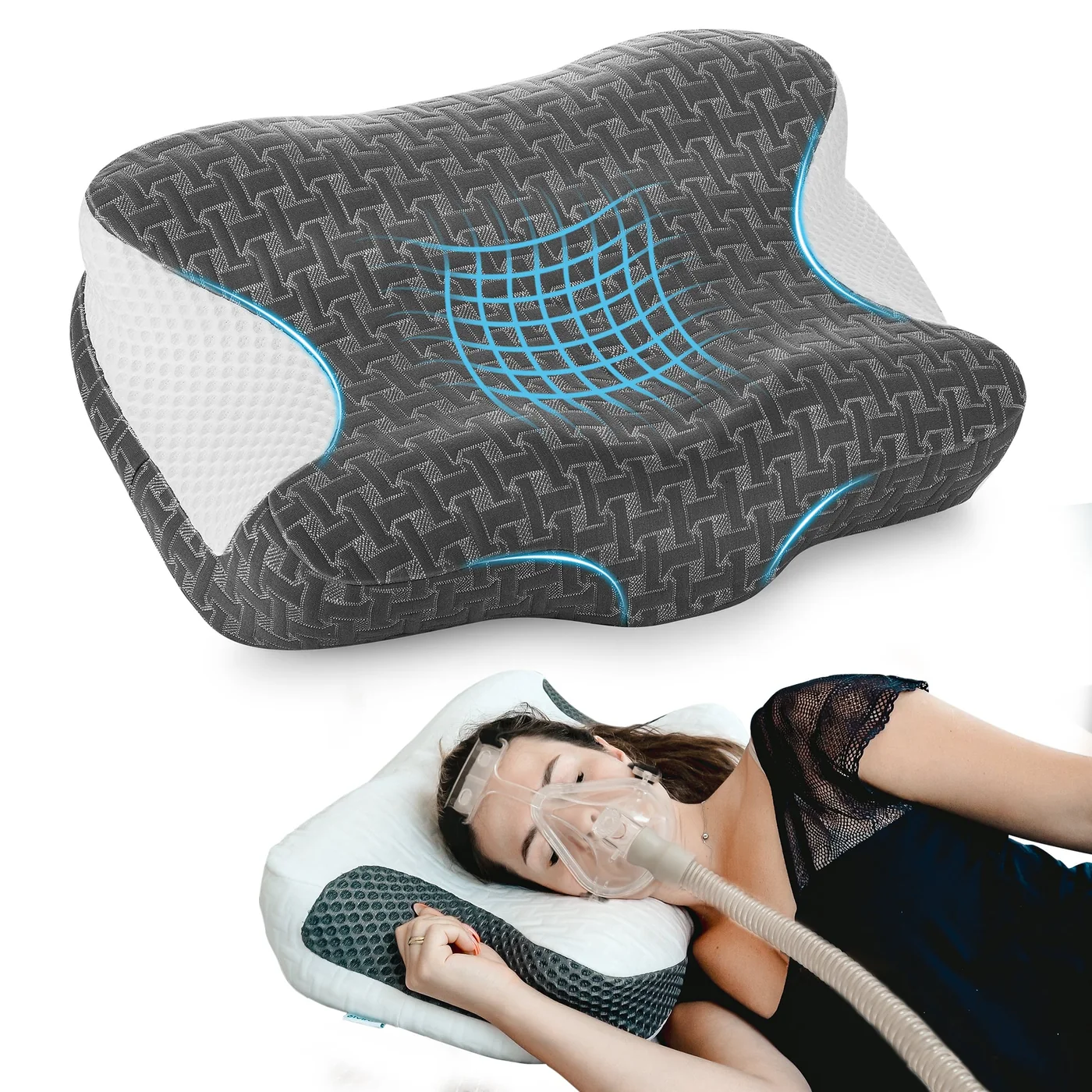
Small firmness insert and Height & Firmness Booster
| Piece you’re looking for | What to do |
|---|---|
| Small firmness insert inside the pillow | Once you’ve confirmed the C1 model and identified the small firmness insert, choose White/FIRM for a firmer feel or Blue/SOFT for a softer feel. If your old insert was yellow, identify it by where it sat and what it did. The seller illustrations show the white and blue variants, and whether the yellow insert matches White/FIRM remains unconfirmed. View the small firmness insert variants |
| Original large bottom pad | The Height & Firmness Booster is sold separately. Wait for written confirmation from the seller that it’s a like-for-like replacement for the original bottom pad on your specific order before buying. View the Height & Firmness Booster listing for comparison |
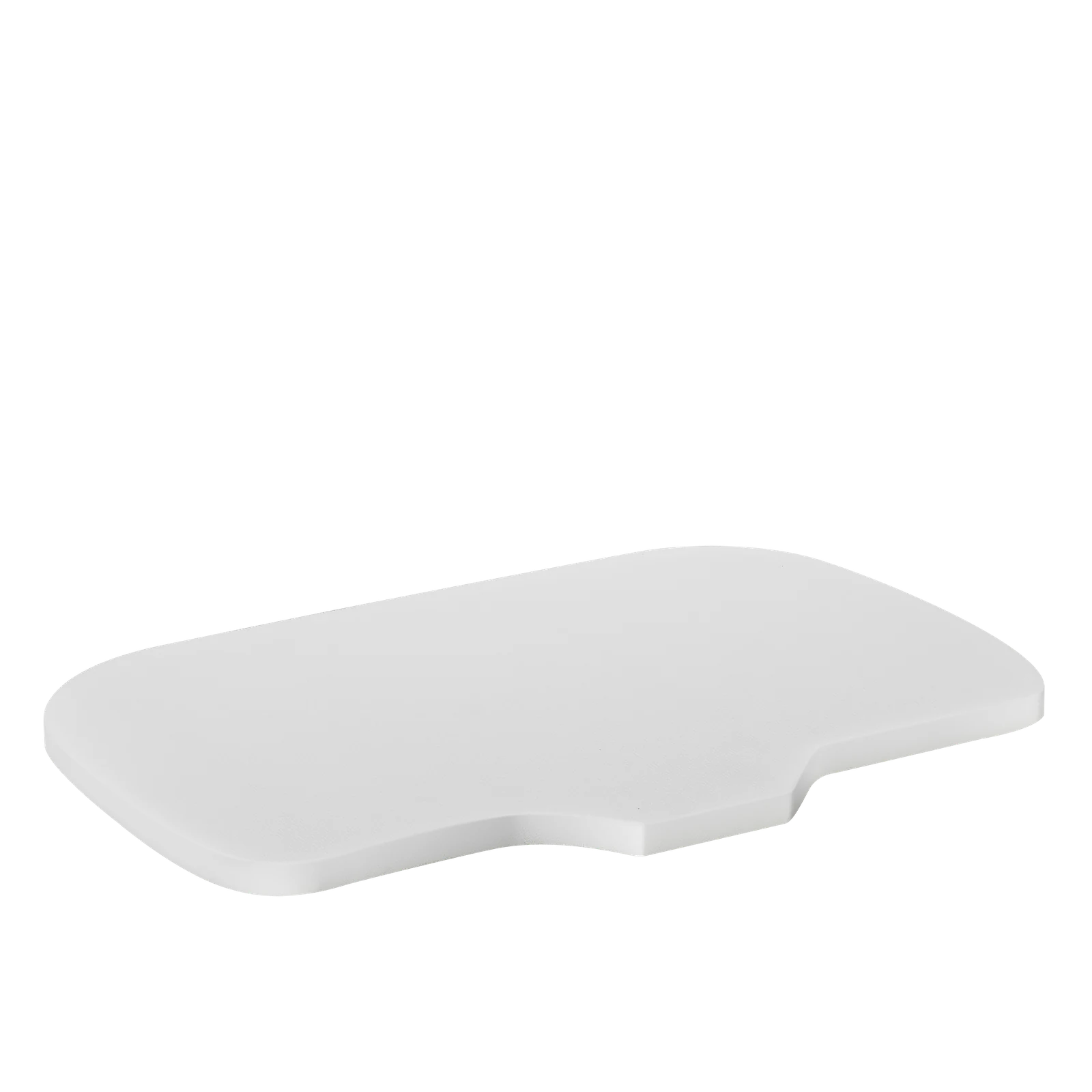
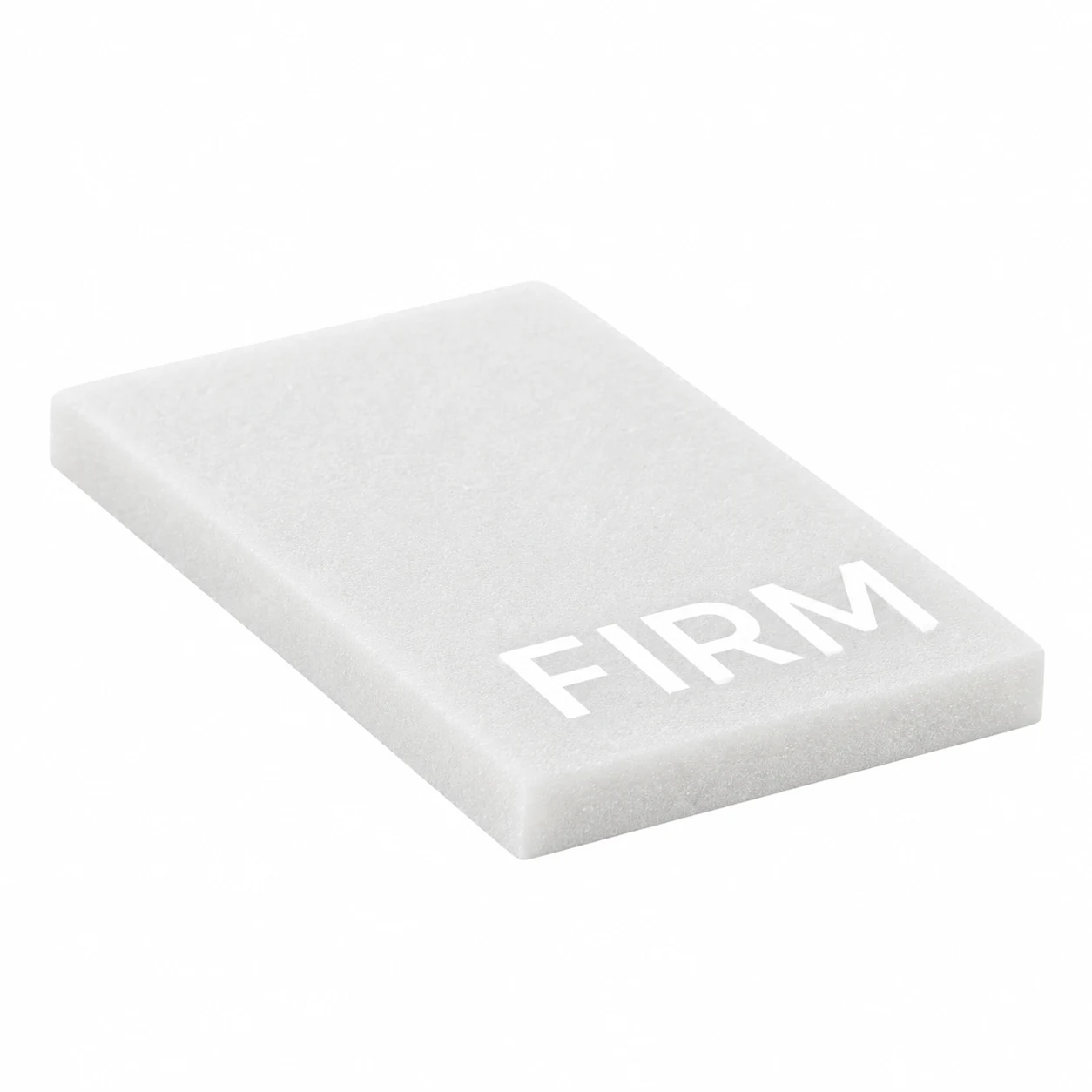
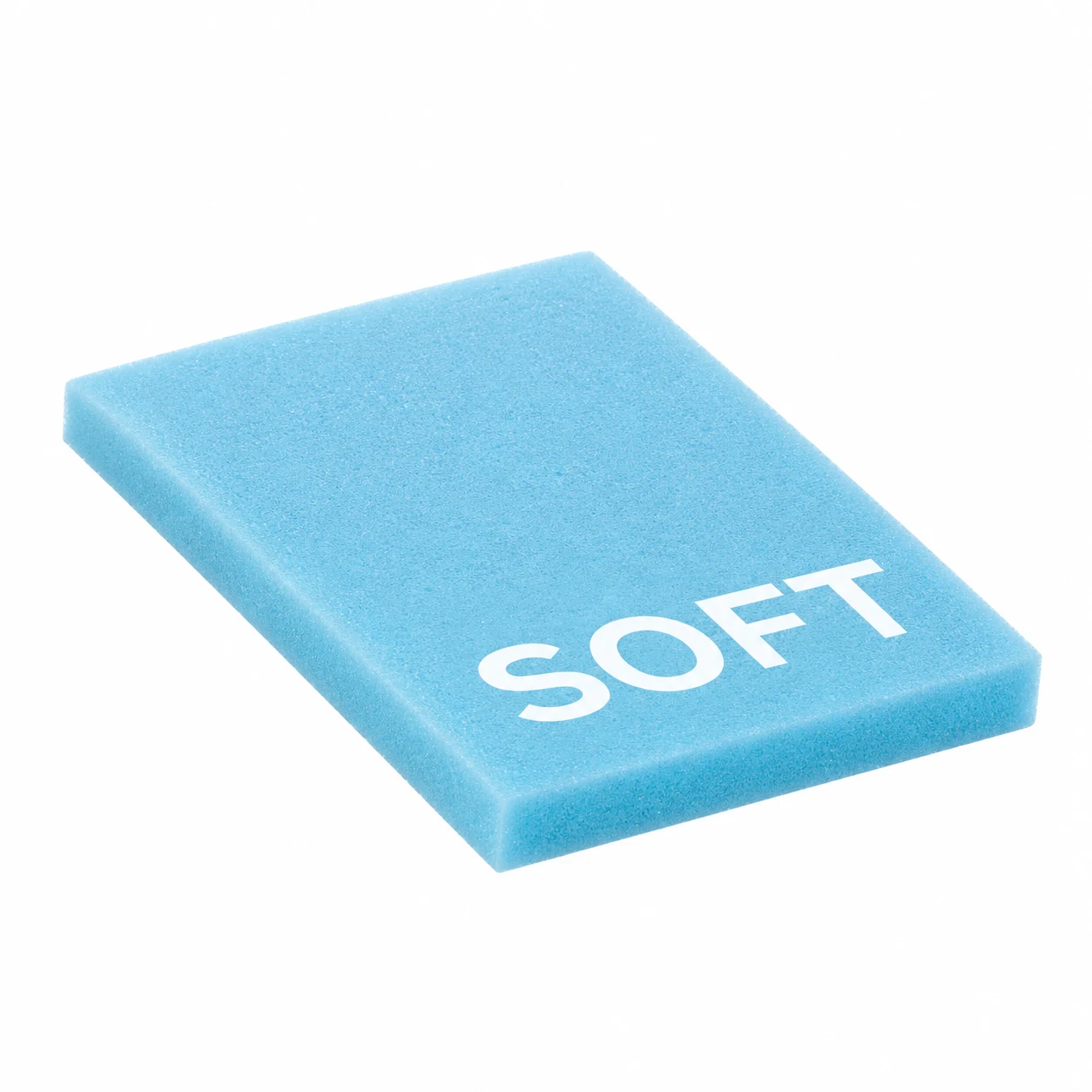
Ask the seller to confirm before you buy
- Gather your order details. Copy the order number and product name as written. If the piece is gone, describe where it sat and what it did. If the package arrived incomplete, list which foam pieces arrived.
- Show the shape and location. If you still have the old piece, photograph it next to the pillow. A photo can show the piece’s shape. Tell the seller where it sat and what it did. Include the order details so the seller can match the photo to your purchase.
- Know what a photo leaves open. A photo alone leaves the pillow model or generation, the piece’s exact dimensions, the current equivalent of an old color, and fit across pillow generations unconfirmed.
- Ask for the seller’s match. Ask them to confirm the model and original part from your order, then request the replacement part’s SKU if listed or item name if no SKU is listed, variant if applicable, and product link.
If the model is unclear, you no longer have the old part, or the package arrived incomplete, send the seller this message and wait for a written reply before ordering.
Hi, my order number is [order number]. I’m trying to identify a missing foam piece. [Describe what’s missing or what arrived.] Can you confirm the exact pillow model and which piece came with my order? If it’s the original lower piece, please confirm in writing whether the separately sold Height & Firmness Booster is a like-for-like replacement for that piece on my order. Please send me the replacement part’s SKU if listed or item name if no SKU is listed, the variant if applicable, and the product link.
Why “White” can lead to the wrong listing
Elviros uses White on two product listings. On Elviros C1 Adjustable CPAP Pillow | Memory Foam Neck Support, the choices are Dark Grey and White. Choosing White on this whole-pillow listing selects a whole pillow. Elviros complete C1 pillow listing
The separately sold Elviros Memory Foam Small Insert Pad for Adjusting Firmness for C1 & C2 CPAP Pillows – Adjusting Firmness has White and Blue options. On this page, White selects the white small insert, which the seller’s illustration shows printed FIRM. Elviros small firmness insert listing
Check the product title before you choose a color. If you want the small insert, look for “Small Insert Pad for Adjusting Firmness” in the title, then select White on that page. After adding it to your cart, use any item and color details shown to confirm that the cart line is for the White small insert. If the item name is Elviros C1 Adjustable CPAP Pillow | Memory Foam Neck Support, that’s the whole pillow. If the cart leaves either detail unclear, contact the seller with the cart line details and ask them to confirm the item and color. Pay only once you can verify both.
What to verify for an older C1 order
Open your original receipt or order confirmation and copy the order number and the exact model or product name as it appears there. If the receipt uses a shortened name, include what it says and check the original product instructions for a fuller model name. This gives the seller details to look up when you ask about the piece that came with your pillow.
If your own receipt, original product instructions, or a previous picture shows a yellow piece, document the color and where the piece sat in your pillow. Say if you’re unsure of its position. When you share a photo, tell the seller whether it shows the actual piece from your pillow or a generic retailer image. If all you have is a retailer image, send it for reference and identify the original order so the seller can check which piece was supplied.
My order [number] lists [exact model or product name]. My [receipt, instructions, or photo] shows a yellow piece that sat [location, if known].
Can you confirm whether the White small insert shown as FIRM on the linked listing matches the piece supplied with that specific order?
A reply such as “White is firm” or “it’s for C1/C2” still leaves the match to your original order open. Ask the seller which piece was supplied with your order and whether the current White small insert matches it. If the seller confirms the match for your order, complete the purchase when you’re ready and the cart variant has been verified. If the seller needs more details or can give only a general compatibility answer, hold off on checkout while the match is still open.
Three purchase cases to check before adding a part to your cart
- Suppose your order confirms C1 and you’ve identified the small firmness insert. Choose White/FIRM for a firmer feel or Blue/SOFT for a softer feel. Use any details shown in the cart to confirm that the line is for the small insert in the variant you chose. Revisiting the product page alone cannot confirm the variant on an existing cart line. If either detail is unclear, send the seller the cart line details and ask them to confirm both. Wait to pay until you can verify both.
- Suppose you have the order for your C1 and need the original lower piece. Open the separate Height & Firmness Booster listing alongside your order. A generic C1/C2 listing title leaves open whether that specific Booster replaces the lower piece originally supplied with your order. If you already have a written reply, check whether it names your order and confirms a like-for-like replacement for that original piece. If it only says the Booster is “for C1/C2,” leave it out of your cart until the seller answers the order-specific question.
- Suppose a third-party seller sends a link after you report an incomplete kit. If the reply names a different exact model from the one on your order, pause and ask the seller to resolve the mismatch. If the linked item is marked “cover/no filler,” treat it as a cover and ask for the foam part’s listing. If the SKU is unlisted, use the exact item name in the reply to check the linked page and selected variant. If those details conflict, ask for a corrected link.
Cart decision checklist
- Yes or no: Do the exact model on your order and the model identified for the part agree?
- Yes or no: Is the cart item the foam piece you need, with the intended variant selected if applicable?
- Yes or no, if replacing the original lower piece: Does the written reply confirm that the linked item is a like-for-like replacement for your order?
Proceed only if every applicable answer is yes.
Check the Elviros free insert program
If you ordered through Amazon and want to adjust your pillow’s feel or loft, you can use your Amazon order number to apply for an adjustment piece once per order. Elviros Free Inserts program
Leave a Reply